
Documentation
Documentation
Iray for 3ds Max includes a utility for converting the units used in specific material libraries. The plugin uses 1 meter units for all materials and maps. If your workflow uses different scales then you will need to convert our libraries and any libraries you have created to this.
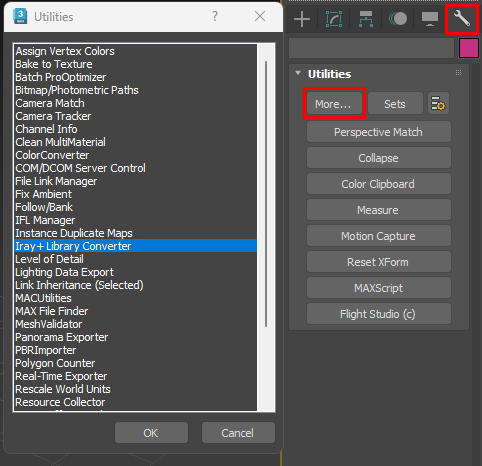
The Iray+ Library Converter is accessible via the Utilities tab on the Tool panel:
 ➤
➤
 ➤
Iray+ Library Converter
➤
Iray+ Library Converter
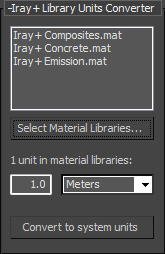
The converter will create a new material library for each library selected. These will be saved in the same location as the original. The new material libraries will have a suffix indicating the current system units, i.e. examplelibary_in.mat for inches.
▲Last edited: