
Documentation
Documentation
Each time a light ray interacts with something in a scene, this is called an "event". This can be when a light ray bounces off the surface of an object, refracts into or out of a transparent/translucent object, or undergoes scattering within an object. An LPE describes a specific sequence, or set of sequences, of these events between the light and the eye.
We will look at how to use the LPE grammar to filter light paths down into very specific subsets of events. We will follow this with a worked example to show a potential use case.
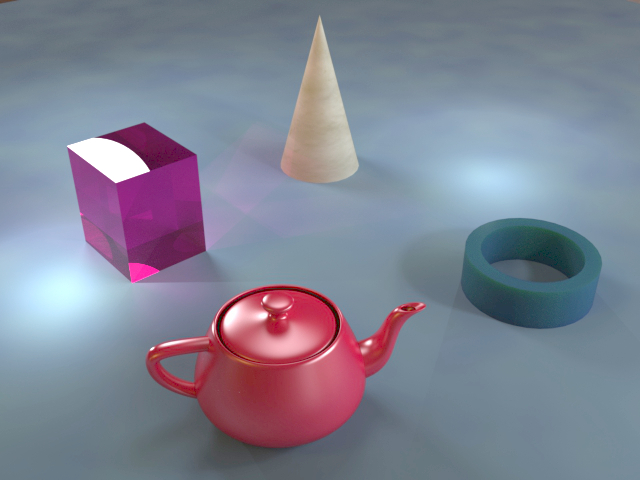
We will use the simple scene shown below to demonstrate LPE event filtering:
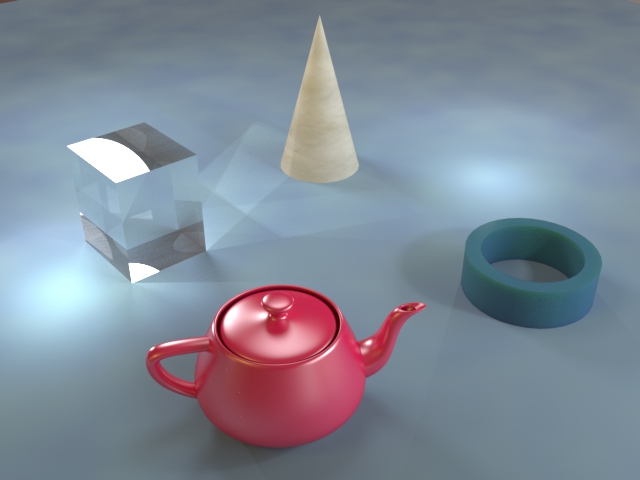
To begin, we can filter by the event type - reflection (R), transmission (T), or volumetric (V). The following LPE will show reflection events only:
L .* R E
The .* term allows any number of arbitrary events between the light source and the final two events in the LPE (see the Isolating Specific Lights article). The final two terms (R E) will then capture only those rays that undergo a reflection event immediately before hitting the eye. It may be more intuitive to reverse the LPE and think of it in terms of camera rays. The resulting image looks like this:
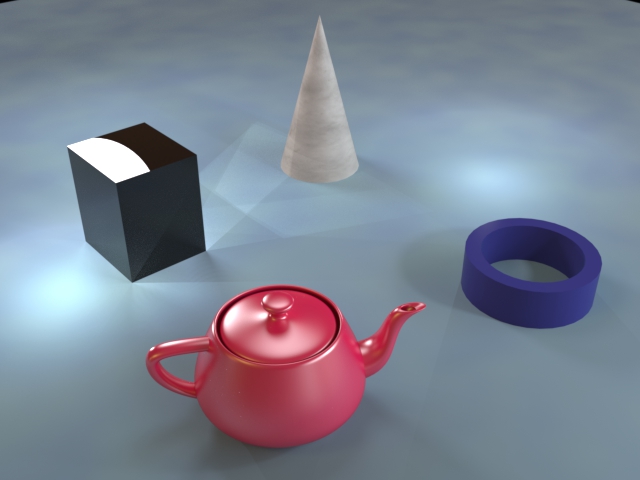
As you can see, the glass cube becomes entirely opaque in this image as we only see the light rays that reflect from its surface and none of the rays that pass through direct to the camera. However, note that rays which pass through the glass and then reflect off other surfaces before hitting the camera are still captured, such as the caustic pattern to the right of the cube that results from the point light on the left. Note also that the cone and the tube look subtly different. We still see the diffuse reflection from the surfaces of these objects, but none of the light that is filtering through them. We can see all this transmitted light by instead filtering for transmission events in the same way:
L .* T E
In this case we get the following image:
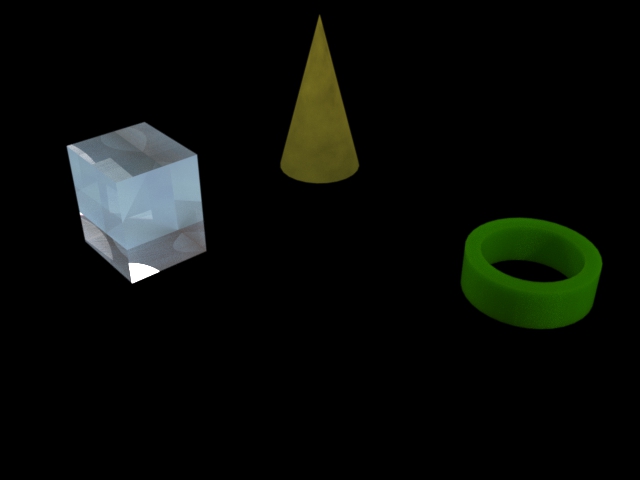
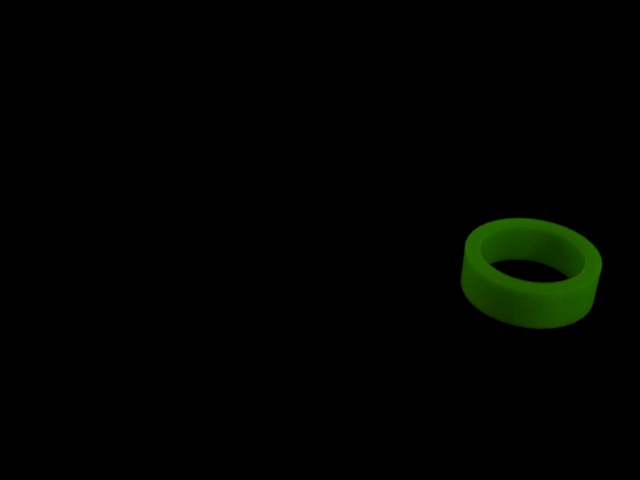
The wax material applied to the tube uses subsurface scattering (SSS) to simulate light being bounced around and scattered within the body of the material. This is a volumetric effect, but note that the equivalent LPE for volumetric events (L .* V E) will actually generate an entirely black image. This is because no volumetric events can happen immediately before the eye event in this scene. A light ray must first leave the body of the tube, which is a transmission event. In order for this LPE to capture any rays, the camera would need to be placed within the scattering volume itself. However, we can capture the scattered light from the wax material by specifying a volumetric event followed by a transmission event, like this:
L .* V T E
This will give the following image:
It is also possible to filter by scattering mode. This describes whether the scattering is a perfectly specular/mirror event (S), an entirely diffuse/Lambertian event (D), or a "glossy" event (G, which is somewhere in-between. We can use this LPE to filter for diffuse events:
L .* D E
This will give the following image:
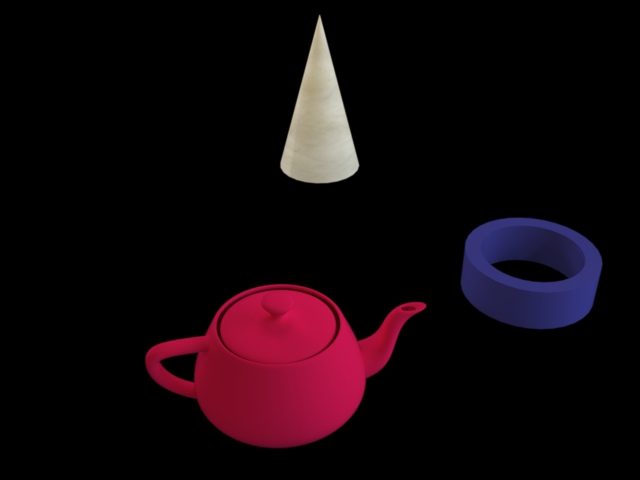
The equivalent "specular" LPE will generate the following image:
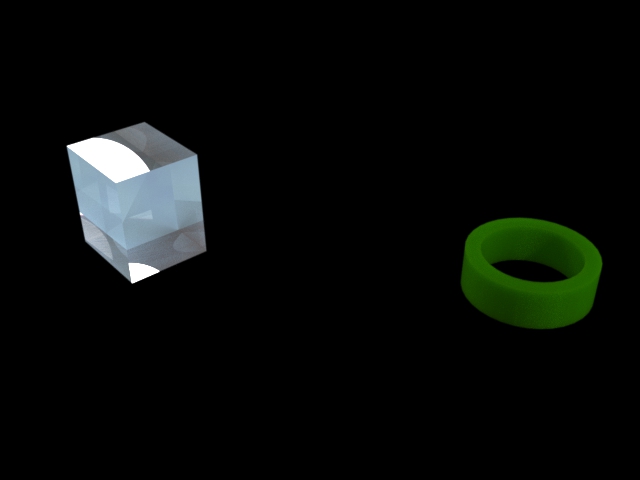
Notice that this captures both the reflection and transmission events from the glass cube, as both are specular. In addition, we can see that the transmission rays leaving the body of the wax tube are also specular in nature, despite the fact that surface reflections are not.
The "glossy" LPE produces the following image:
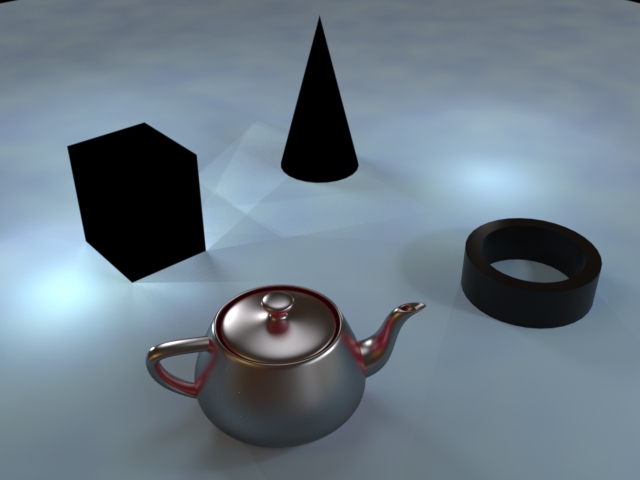
This captures the glossy reflections from the surface of the teapot, but also the "velvet" ground plane, which is not entirely diffuse.
As well as filtering by the type or mode of the event, you can also add limits to the number of events that your LPE will capture. This can be useful for capturing "direct" and "indirect" lighting for example. The following LPE will capture "direct" lighting only:
L . E
This will capture rays that undergo a single event (of any type) between the light and the eye, i.e. light rays that reflect directly off some surface into the camera. This LPE gives the following image:
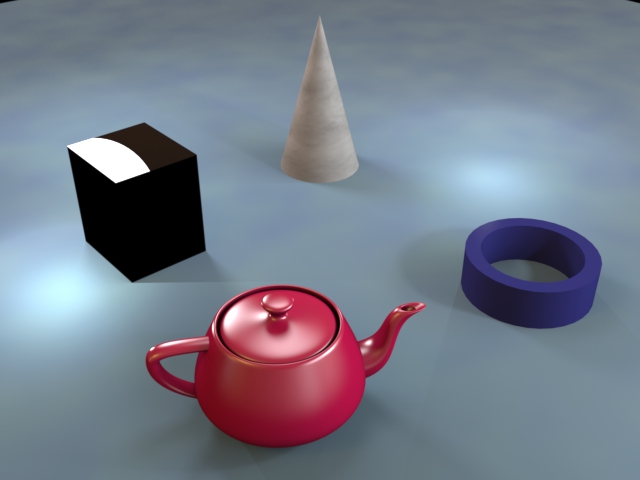
Note that the LPE specifies exactly one interaction between the light and the eye. This means that if there are any visible light sources in the scene then rays that travel directly from the light to the eye will not be captured. In order to capture these rays as well, use the following LPE:
L .? E
…where the ? operator denotes "0 or 1 of the previous interaction".
To capture "indirect" light only, you can use the following LPE:
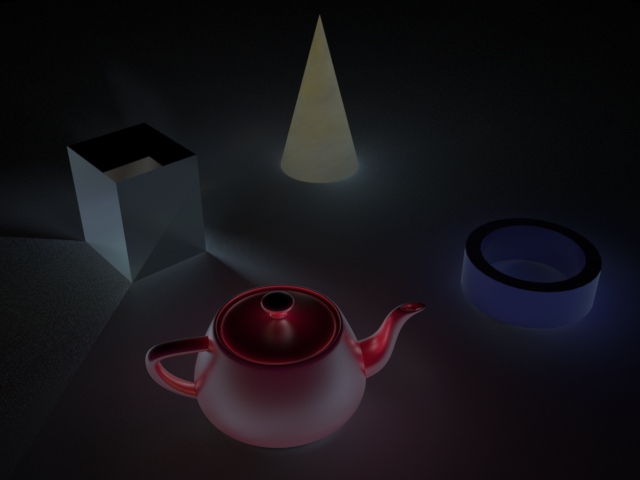
L .{2} E
This specifies that there must be exactly two interactions between the light and the eye. This will exclude the "direct" rays that the previous LPE captured, but will now show rays that bounce off one surface and onto another, before then bouncing into the eye. This is the resulting image:
This LPE will only capture one "bounce" of light and it may be preferable to capture indirect light that results from any arbitrary number of bounces. To do this, you can replace the {2} term with {2, n}, where 2 is the minimum number of bounces and n is the maximum number. If there is no upper limit (i.e. "two or more"), then you can omit the second number and instead use {2,}. The following LPE will capture all rays with two or more events between the light and the eye:
L .{2,} E
Note that ^(L .? E) is an equivalent way to write this LPE. Either will give the following image:
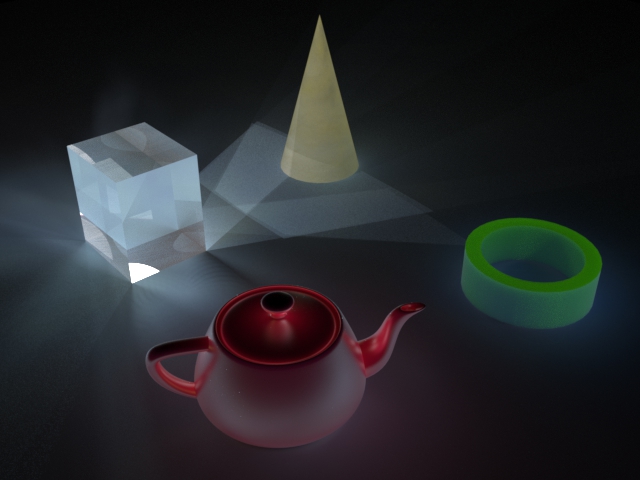
A potentially unexpected effect of this LPE is the transmission we are now seeing through the cube, cone and tube which may not be wanted for an "indirect" render. To remove this, the LPE can be filtered further by specifying that the final event before the eye must not be a transmission event:
L .{1,} [^T] E
Note that the arbitrary interactions has been dropped from "2 or more" to "1 or more". This is because the [^T] term is not optional and specifies an extra event in the light path. If we did not do this, the overall LPE would require three or more events between the light and the eye and would not capture one bounce indirect light. As there is a specific operator for "one or more" (+), we can write the LPE like this:
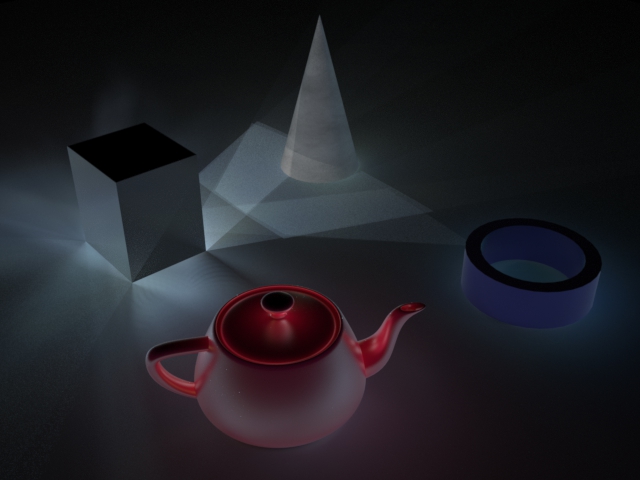
L .+ [^T] E
Either LPE will give the following image:
This example shows how we can use LPEs to generate the required layers so that we can add a colored tint to the glass cube in post-production. This example also makes use of handles to isolate the cube geometry, which you can read more about in the Isolating Specific Geometry article. In that article, there is a similar example about recoloring a teapot. In that case we needed only two layers: a "teapot" and an "everything else" layer. We will start by trying the same thing here, using this LPE to generate the cube layer:
L .* 'Cube' E
And the negation of this to generate everything else:
^(L .* 'Cube' E)
These LPEs will generate the following two images respectively:
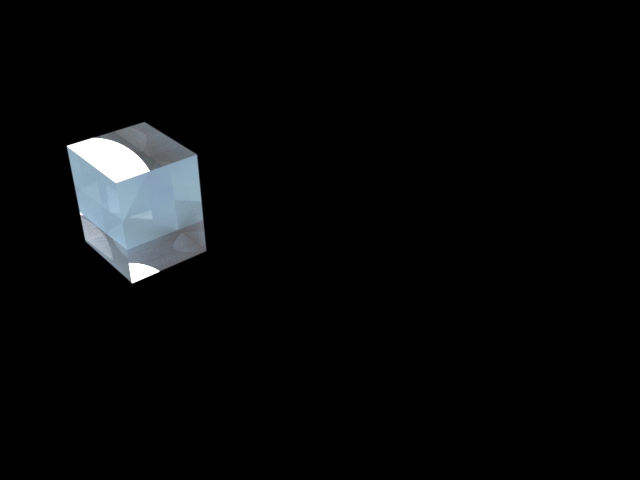
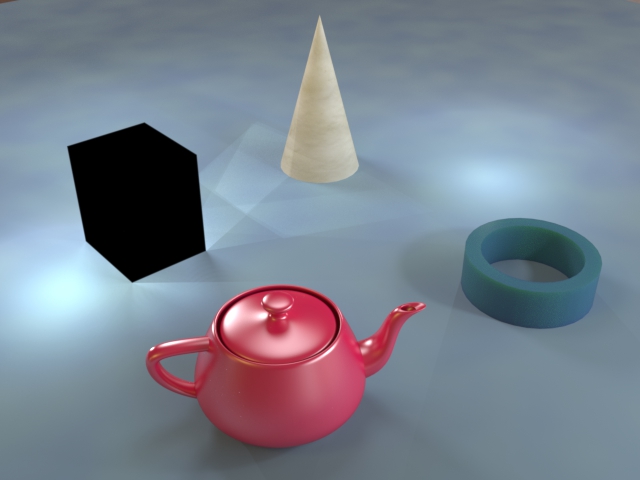
However, as we are now dealing with a transparent object, this case is a little more complicated than we saw with the teapot and these two images alone will not be sufficient. Firstly, if we apply a color tint to the "cube only" layer then this will color everything in the image, including the surface reflections on the cube. If you look at real tinted glass then you will see that the color of the glass only affects the transmitted light through the glass, while the reflections from the surface of the glass will remain uncolored. Therefore we will need to split this layer into two more layers, showing only the reflected and only the transmitted light, using these two LPEs:
L .* <R.'Cube'> E
L .* <T.'Cube'> E
These LPEs will give the following two images:
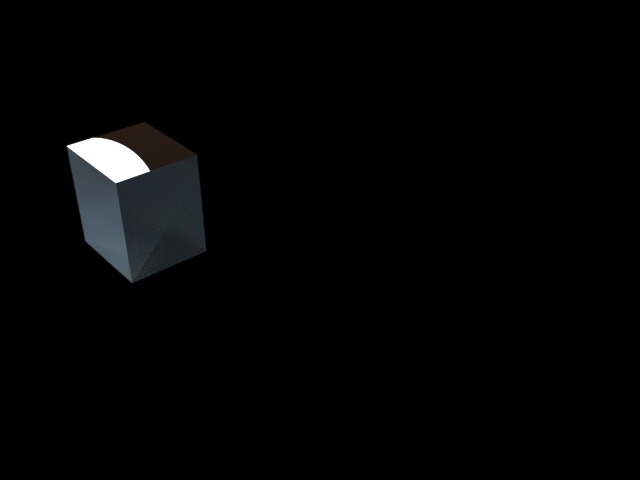
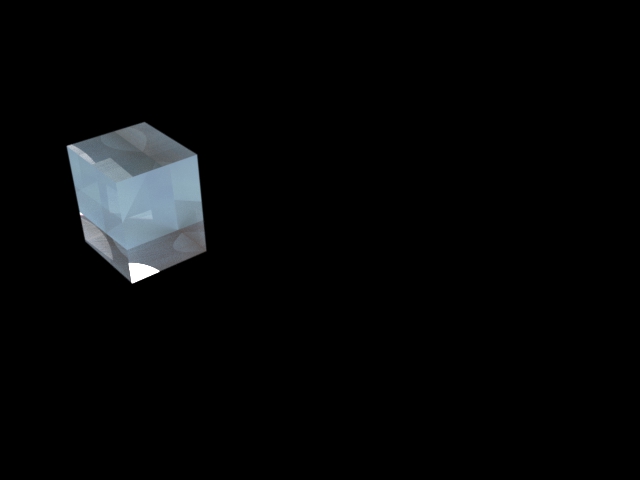
There is also a problem with the "everything else" layer. This is showing caustic patterns on the ground plane caused by light that is refracted through the glass cube. If the glass is tinted then these caustics would also be tinted the same color, so we also need to separate these out into their own layer. The following LPE will achieve this:
L .* <T.'Cube'> .* [^<T.'Cube'>] E
With this LPE we are capturing all rays which pass through the cube at least once, with the caveat that the final event before the eye cannot be a transmission event associated with the cube. This prevents us from recapturing the direct transmitted light already captured in one of the above layers. This is the resulting image:
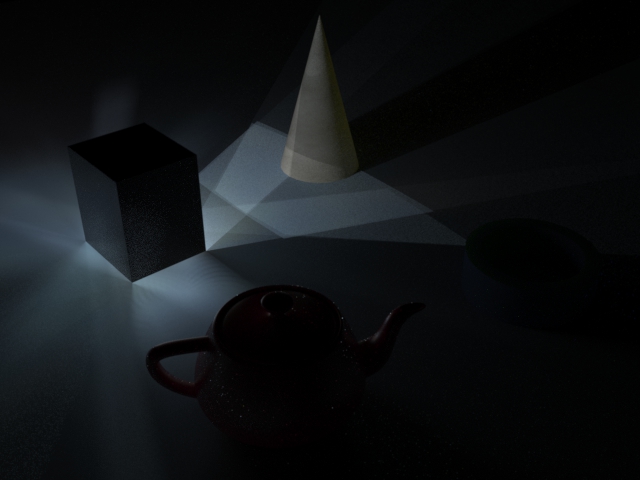
The final step is to generate an "everything else" layer which will omit these caustic patterns as well as any direct rays from the cube. The following LPE will achieve this:
^(L .* <T.'Cube'> .* E) & ^(L .* 'Cube' E)
This LPE is essentially a negation of the LPE used to generate the caustic patterns, and (&) an extra filter to remove any direct reflections or transmissions from the cube to the camera. Note that we can remove the [^<T.'Cube'>] term from the first part of the LPE as the second part of the LPE is already taking care of these rays, though there is no harm in leaving the term in place. The image generated by this LPE is as follows:
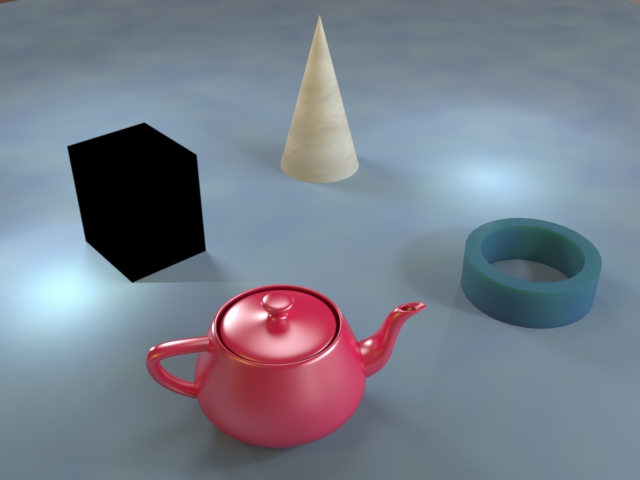
So we now have the final four layers that we will need, generated with these LPEs:
| LPE | Description |
|---|---|
| L .* <R.'Cube'> E | Reflections from the surface of the cube |
| L .* <T.'Cube'> E | Direct transmitted light through the cube |
| L .* <T.'Cube'> .* [^<T.'Cube'>] E | Caustics from light transmitted through the cube |
| ^(L .* <T.'Cube'> .* E) & ^(L .* 'Cube' E) | Everything else |
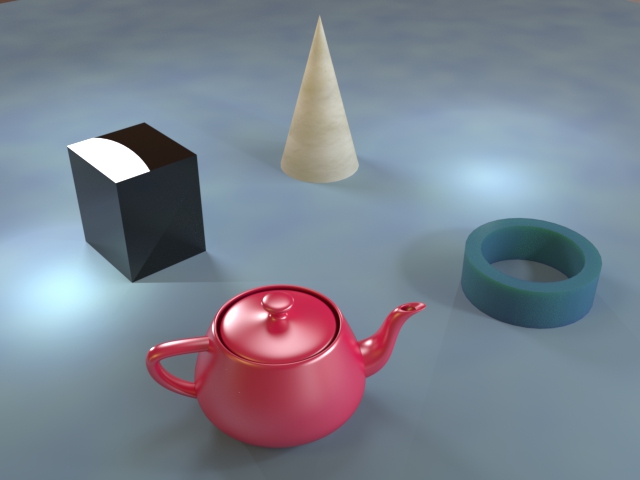
The elements that do not need to be recolored (reflections and "everything else") can be composited together into one layer:
The elements that need to be recolored (transmission and caustics) can also be composited together:
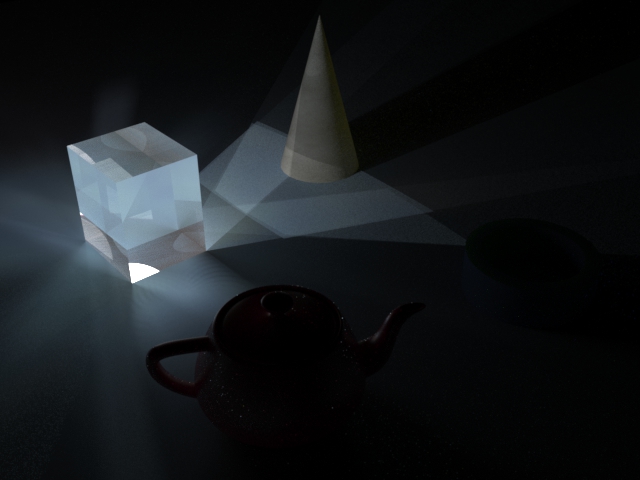
L .* <T.'Cube'> .* E
For the "everything else + reflections" layer, we can remove the final ^(L .* 'Cube' E) term from the "everything else" LPE to also capture the surface reflections, (we will not capture the direct transmission because the first term already disallows this):
^(L .* <T.'Cube'> .* E)
The tint can now be applied to the transmission and caustics layer, and the final composite will show realistic colored glass:
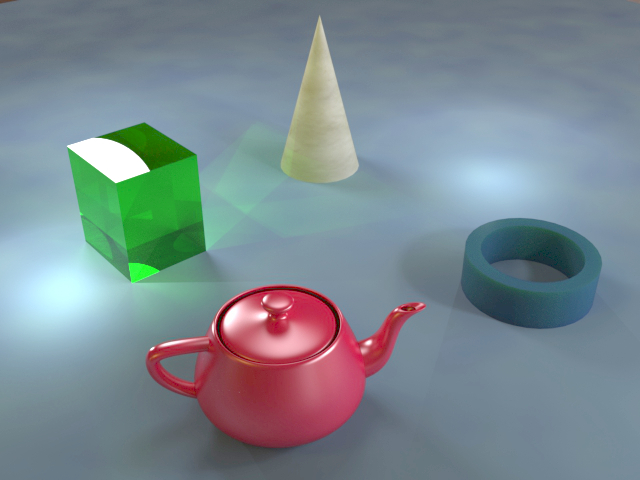
We can change the color of the glass easily, without needing to re-render:
Last edited: