
Documentation
Documentation
The Settings tab, which can be accessed by selecting Rendering > Render Setup… from the 3ds Max menu bar, contains advanced controls for Tone Mapping, White Balance, Camera Lens, and Environment Lighting. It also provides options to tailor the use of local and remote Hardware Resources, to access Network Rendering, to add custom MDL search paths, to configure rendering filters, and to specify additional material optimizations:
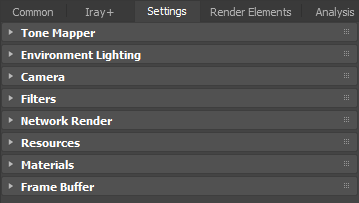
This page provides an overview of the various settings and links to more details on specific settings.
The Tone Mapper enables various controls over the appearance of your scene:
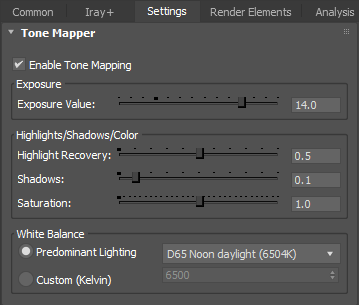
You can use these controls during rendering, without interrupting progress. For details, see Tone Mapping.
The Environment Lighting rollout shows which environment is currently lighting the scene and provides a dropdown to let you set or change the currently active environment:

The Camera rollout provides settings for various types of camera, along with controls for stereo output when viewing with Virtual Reality hardware:
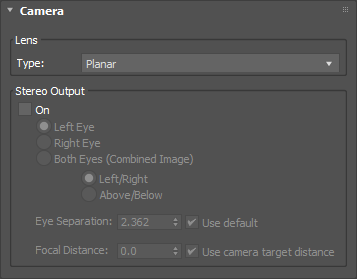
For details, see Camera Settings.
The Filters rollout lets you specify filters to add bloom and glare effects and to control anti-aliasing:
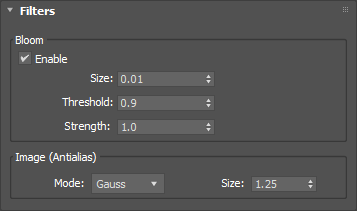
For details, see Filters.
The Network Render rollout provides access to remotely-queued 'offline' rendering:
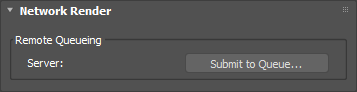
For details, see Network Render.
The Resources rollout provides options to control the use of local GPUs and remote streaming resources:
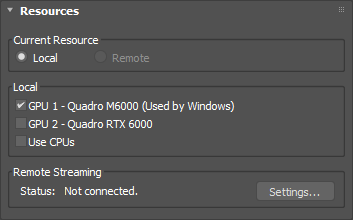
For details, see Remote Streaming.
The Materials rollout provides optimization controls and the facility to add custom MDL search paths:
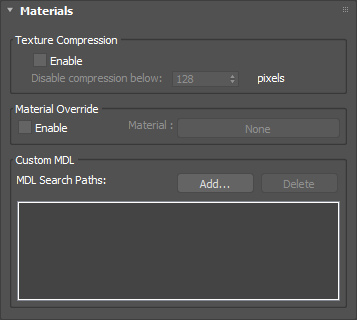
The Iray+ Frame Buffer can be used instead of the default 3ds Max frame buffer to display both ActiveShade Mode and Production Rendering Mode renders. The Frame Buffer rollout lets you manage deployment of the Iray+ Frame Buffer within 3ds Max:
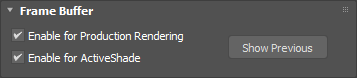
Last edited: