
Documentation
Documentation
Light Path Expressions (LPEs) describe the propagation of light through a scene starting from a source of light, bouncing around between objects in the scene and ultimately ending up at the eye. LPEs allow you to filter the results of an Iray+ render and to display a subset of the light contributions in your scene (for example, showing only the contributions from certain light sources, only glossy reflections, or only the interactions involving a particular piece of geometry).
The results of a render can be split into multiple canvases at the same time, with minimum additional overhead, allowing flexibility for compositing or manipulating the image in post-production (for example, recoloring or scaling the contributions from individual light sources, changing the color of specific materials, or intensifying specular highlights).
The separate Render Elements functionality has less flexibility to create layers of information but may often give the required result. Some types of information, useful for post-processing, are only available using Render Elements, for example, Material ID. LPEs will be rendered out at the same time as any enabled Render Elements.
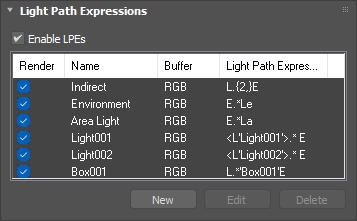
To add an LPE to the Render Elements:
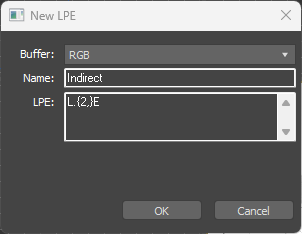
When you click "OK" on the "New LPE" dialog, the LPE syntax will be validated and the name and expression will be checked against other entries in the LPE list. If a syntax error or clash is detected then an error message will be shown and you will not be allowed to add the new LPE until the problem is remedied. Be aware that only exact expression matches will be disallowed. Expressions that are functionally identical but which differ syntactically will not be disallowed. Ideally, you should avoid the use of such expressions.
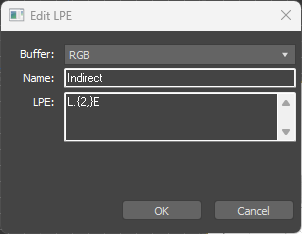
To edit or rename an LPE that you have already added to the Render Elements:
To delete an LPE that you have already added to the Render Elements:
LPEs are constructed with regular expressions that describe a particular light transport path, or set of paths, as light propagates through a scene. They can contain any number of specific interactions between the light source and the camera and can become quite complex. The LPE grammar is very powerful and flexible, but as a result it can be difficult to know where to begin.
Light transport paths begin at a light source and end at the eye. The most basic LPE is the one that captures all light transport paths (i.e. the same as a standard "Beauty" render):
L .* E
The L operator denotes all light sources in the scene, so if your scene contains multiple light sources (lights, IBL, Physical Sky, etc.), this will capture contributions that begin at any of them. The . operator means "any interaction" (such as mirror bounces or refraction through glass) and is essentially a wildcard. The * operator means "any number of the previous interaction", so .* means "any number of any type of interaction". The final E operator denotes the eye (i.e. camera) and is used to mark the end of the light transport path. So this LPE will capture rays that originate from any light source in the scene, and then undergo any number of any type of interaction before reaching the eye. In other words, it captures all light transport paths.
When writing LPEs, you can add spaces for clarity, however they are optional and not required by the syntax. If you prefer, you can also define LPEs by starting at the eye and ending at a light source, so the following LPE is exactly equivalent to the first:
E.*L
| LPE | Description | Notes |
|---|---|---|
| L.{2,}E | Indirect Lighting | Displays all light that has bounced more than once |
| E.*Le | Environment Lighting | Displays all light contributed by the environment |
| E.*La | Area Lighting | Displays all light contributed by Area Lights |
| E<RS.>.*L | Specular Reflection | Displays all specular reflection that hits the camera |
Last edited: